

RYSONIXhttps://www.rysonix.in/s/62ea2c599d1398fa16dbae0a/g/6a4ca63b554f24a38ff93b0c/whatsapp-image-2026-07-07-at-12-37-54-pm-480x480.jpeg
Jassian Village Road, Luxmi Nagar, Haibowal Kalan141001LudhianaIN
RYSONIX
Jassian Village Road, Luxmi Nagar, Haibowal KalanLudhiana, IN
+919888166735https://www.rysonix.in/s/62ea2c599d1398fa16dbae0a/g/6a4ca63b554f24a38ff93b0c/whatsapp-image-2026-07-07-at-12-37-54-pm-480x480.jpeg"[email protected]
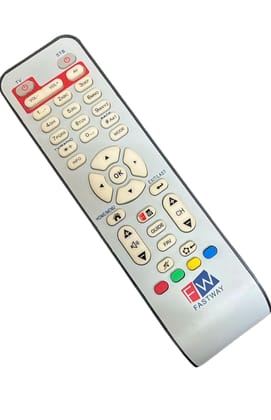
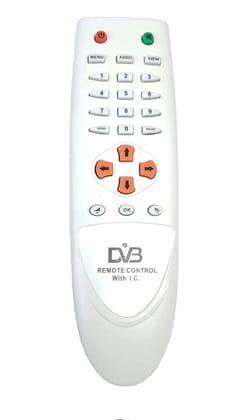
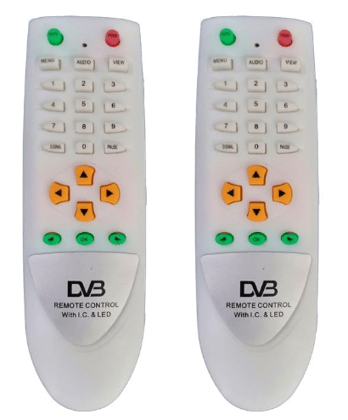
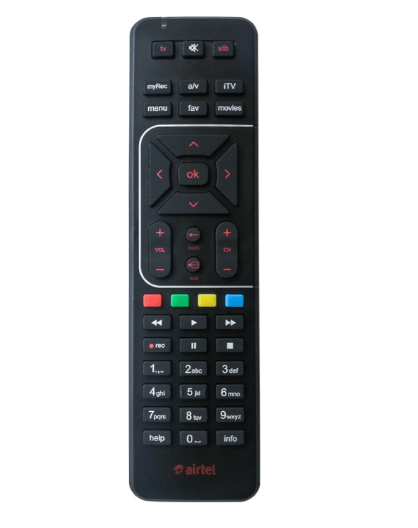
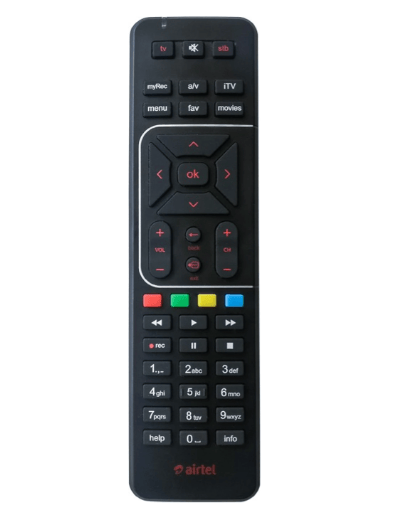
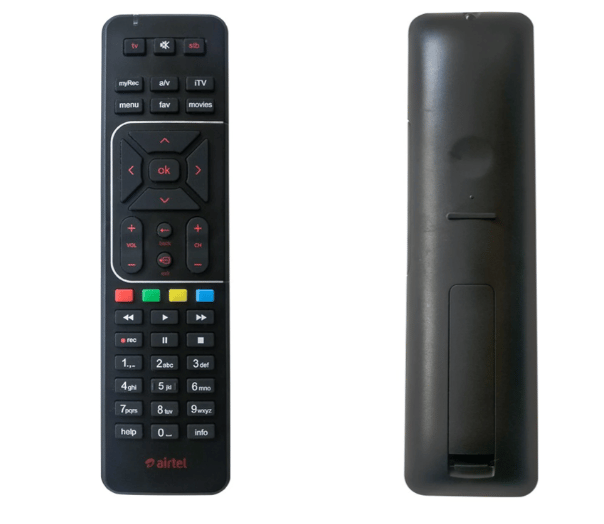
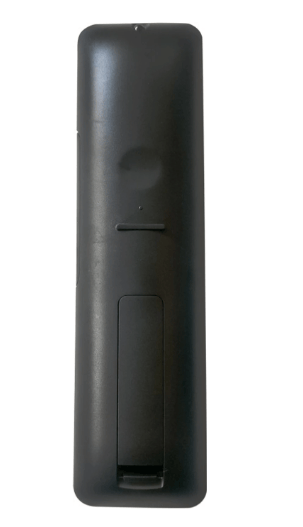
6a3d25f7020775ed9c41176dDigital TV DTH Remote SD/HD/HD Recording Compatible for AIRTEL Television

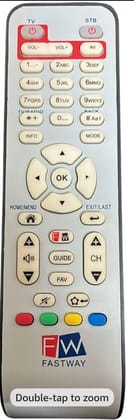
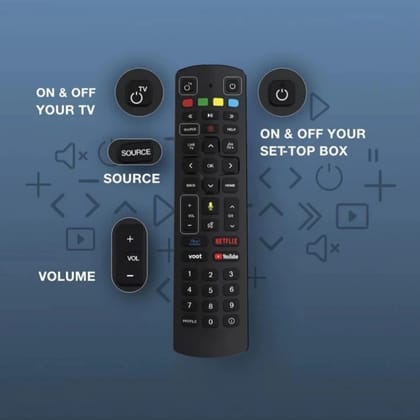
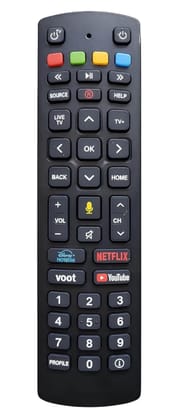
This Remote Can Be used With All Airtel Digital TV Set Top Boxes (SD/HD/DVR With Recording Button Features) This Remote Can Be Used As TV Remote Also. (You Need To Configure it for Use this Remote With you TV) Airtel brings you the magical universal remote so that you can enjoy watching TV with just one remote. There are 5 basic functions which your new Airtel remote needs to learn about your TV 1. TV Power code 2. TV Mute code 3. AV code 4. TV VOL + code 5. TV VOL – code Step 1: Bring Airtel digital TV remote in learning mode. Press and hold ‘’OK + Numeric 2” key for 3 seconds. The LED blinks twice to indicate that your Airtel remote is ready to learn. Step 2 : Hold the source remote and Airtel remote in front of each other ( 3cm-6m apart). Step 3: Press & release the key (First on Airtel remote and then on Source remote) which needs to be programmed in Airtel remote. Example: Press and release the TV Power key on both remotes and release. The Airtel remote blinks twice to indicate a successful learning of ‘TV power code’. Step 4: Now Press & release other keys ( on both remotes simultaneously) : Mute , AV, Vol +/-. Step 5: Press “OK” on Airtel remote to store the new information about your TV. The LED will blink twice to indicate successful transfer to knowledge from your current TV remote to the new Airtel remote. If the Airtel remote blinks four times, it means the learning failed. Go to Step 1 again Please Note, Some TV Brands Are Not Suitable For this Method of Universal Remote Configuration. Please Note, You Need To Have the Original Remote of Your Television to Configure by using Above steps. if you Have A Ordinary Remote of Your TV Means, its Not Configurable with Airtel Digital TV Universal Remote

MS-T2DW01UFW
INR269In Stock

Digital TV DTH Remote SD/HD/HD Recording Compatible for AIRTEL Television

₹269MRP ₹99973%
1 unit

This Remote Can Be used With All Airtel Digital TV Set Top Boxes (SD/HD/DVR With Recording Button Features) This Remote Can Be Used As TV Remote Also. (You Need To Configure it for Use this Remote With you TV) Airtel brings you the magical univ...

Read More
Key Attributes

Country of originIndia
BrandR
Net Quantity1 unit
Manufacturer or packer nameR.K Electronic
View full attributes

This Remote Can Be used With All Airtel Digital TV Set Top Boxes (SD/HD/DVR With Recording Button Features) This Remote Can Be Used As TV Remote Also. (You Need To Configure it for Use this Remote With you TV) Airtel brings you the magical universal remote so that you can enjoy watching TV with just one remote. There are 5 basic functions which your new Airtel remote needs to learn about your TV 1. TV Power code 2. TV Mute code 3. AV code 4. TV VOL + code 5. TV VOL – code Step 1: Bring Airtel digital TV remote in learning mode. Press and hold ‘’OK + Numeric 2” key for 3 seconds. The LED blinks twice to indicate that your Airtel remote is ready to learn. Step 2 : Hold the source remote and Airtel remote in front of each other ( 3cm-6m apart). Step 3: Press & release the key (First on Airtel remote and then on Source remote) which needs to be programmed in Airtel remote. Example: Press and release the TV Power key on both remotes and release. The Airtel remote blinks twice to indicate a successful learning of ‘TV power code’. Step 4: Now Press & release other keys ( on both remotes simultaneously) : Mute , AV, Vol +/-. Step 5: Press “OK” on Airtel remote to store the new information about your TV. The LED will blink twice to indicate successful transfer to knowledge from your current TV remote to the new Airtel remote. If the Airtel remote blinks four times, it means the learning failed. Go to Step 1 again Please Note, Some TV Brands Are Not Suitable For this Method of Universal Remote Configuration. Please Note, You Need To Have the Original Remote of Your Television to Configure by using Above steps. if you Have A Ordinary Remote of Your TV Means, its Not Configurable with Airtel Digital TV Universal Remote

Country of originIndia
Special Featureoriginal airtel remote
BrandR
Common nameairtel remote
Net Quantity1 unit
Package Dimension15L x 8W x 6H cm
Manufacturer or packer nameR.K Electronic
Manufacturer or packer addressGround Floor, B34 - 6916, Haibowal kalan, Jassian Road, Petrol Pump, PN 31 S.PARK
Manufacturing Date2026
contact details consumer careR.K Electronic, [email protected]

Customer Review

Be the first to review this product
0/5
Rate this product!
Upload a Photo